
What is an IP Address in CCNA? Difference between IPv4 and IPv6 Addresses
You may have wondered what the difference is between IPv4 and IPv6? In this post, we will learn about the differences & types of IP address in CCNA course.
The Internet Protocol (IP) Address in CCNA course refers to a unique identification of any digital device that is connected to a computer network. Your smartphone, laptop, PC, and other devices have their own unique IP address.
These IP Addresses allow your devices to communicate with each other. In technical terms, an IP Address is a set of rules that enable routing the packets of data in order to move data across networks and take it to its destination.
Note: If you haven’t read the previous blog of our CCNA 200-301 series, I highly recommend you do so.
In this blog, you will learn about the two versions of IP Addresses in CCNA: IPv4 and IPv6 Addresses. Stick till the end to learn the differences between these two versions of IP addresses.
Let’s begin!
What is IP Address in CCNA?
Suppose, you open Google and enter ‘blogs on IP Address in CCNA’. Your request is forwarded to the Google server and it delivers the requested page back to you. How does Google know that it has to send that requested page to you and not your neighbour?
Thanks to the unique Internet Protocol (IP) address of your laptop. This is how computers communicate with each other without the confusion of sending information requested by you instead of sending it to someone else.
This address is present in a string of numerical format. For example, 194.225.108.253 is an IP address.
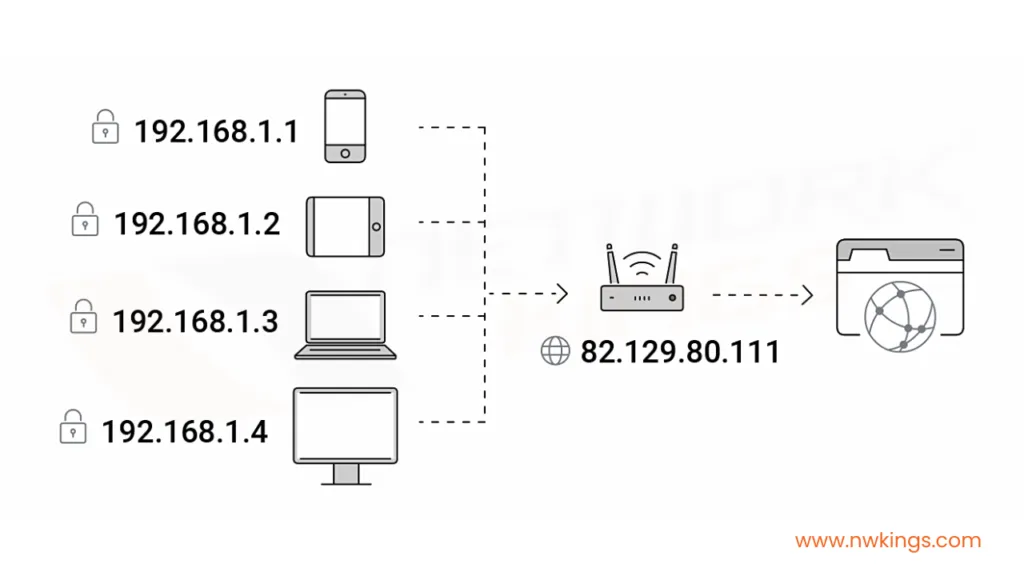
Therefore, IP address are simply a set of rules on which the Internet works.
Note: Turning on or off your router can change your IP address. Your IP address also changes when you change your network.
Let’s learn about the types of IP address in CCNA.

What is IPv4 Address?
IPv4 stands for Internet Protocol (IP) version 4. Launched in the year 1983, it is the first and the oldest version of Internet Protocol. Till date, it is still used to identify devices over the Internet.
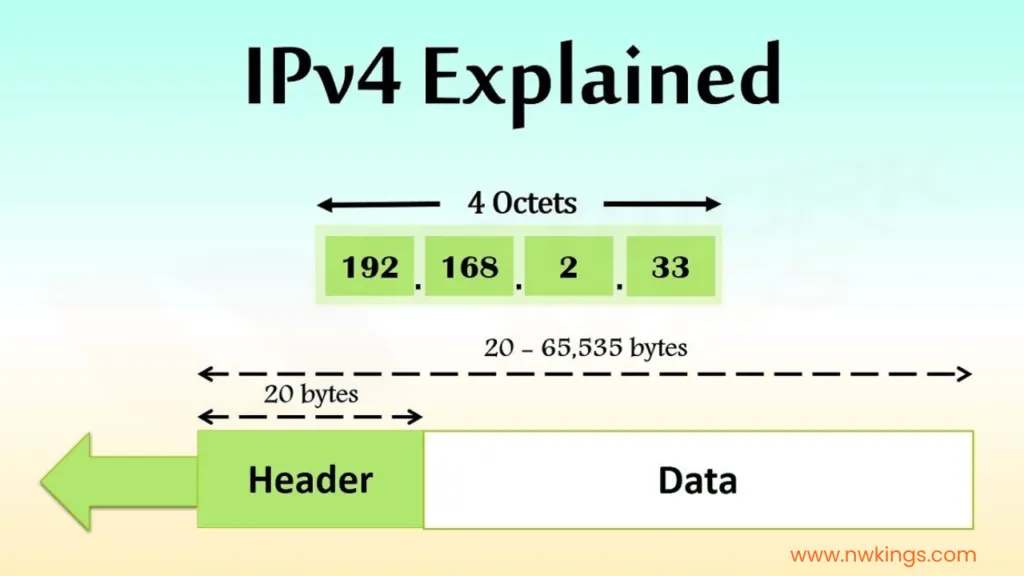
IPv4 has a 32-bit address.
4.3 billion IP Addresses are generated through IPv4 address.
It has 4 numbers separated by dots.
The IPv4 address numbers could be anywhere between 0 to 255 in decimal numbers.
The IPv4 address consists of 4 octets. Each octet has 8 bits.
Example of an IPv4 address: 167.233.123.290
Classes of IPv4 Addresses:
There are about 4.3 billion IPv4 addresses generated. It gets tough to classify them and to find them. Therefore, the IPv4 addresses are divided into 5 classes on the basis of their numeric length. There classes are:
Class A
Address range: 0-126
Class B
Address range: 128-191
Class C
Address range: 192-223
Class D
Address range: 224-223
Class E
Address range: 240-254
What is IPv6 Address?
Since IPv4 had very limited IP addresses, there was a need of a newer version of IP address. This gave rise to the Internet Protocol (IP) version 6.
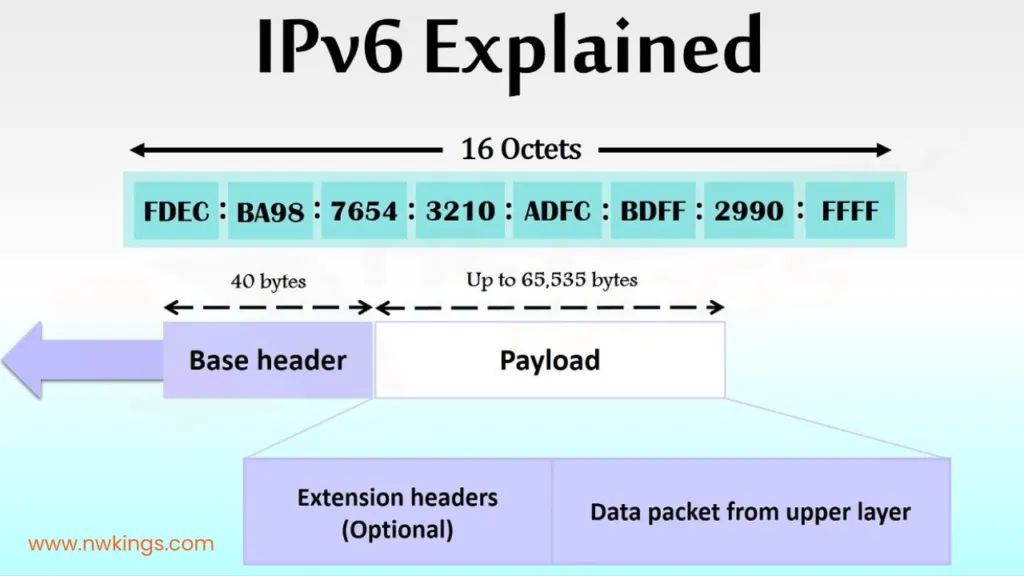
IPv6 is a 128-bit IP address.
It consists of both numbers and alphabets.
It consists of 8 hexadecimal numbers separated with colons (:).
For example, 2063:e67c:2we5:4500:7h3w:0000:5678:d222
Ipv6 has 340 trillion unique addresses.
It consists of 8 octets. Each octet has 16-bits.
What is the main Difference between IPv4 and IPv6 Addresses?
Now that you’re familiar with the two different versions of IP addresses, let’s learn about the differences between these two addresses.
IPv4 Address | IPv6 Address |
1. Ipv4 address length consists of 32-bits. | 1. The length of IPv6 address is 128-bits. |
2. 4.3 billion unique IP addresses are generated. | 2. 340 trillion unique IP addresses are generated. |
3. The range of IPv4 addresses is 0 to 255. | 3. The range of IPv6 addresses is 0 to FFFF (65535). |
4. Example of IPv4 address: 194.225.108.253 | 4. Example of IPv6 address: 2063:e67c:2we5:4500:7h3w:0000:5678:d222 |
5. It has 4 octets. Each octet has 8-bits. | 5. It has 8 octets. Each has 16-bits. |
6. IPv4 is a numeric address. It is separated by dots (.). | 6. IPv6 is an alphanumeric address. It is separated by colons (:). |
7. IPv4 consists of 5 classes: Class A, Class B, Class C, Class D, Class E. | 7. IPv6 address do not have any class. |
8. IPv4 addresses can be converted to IPv6. | 8. Not all IP addresses can be converted to IPv6. |
9. Fragmentation (collection of data packets) is done by sender and forwarding routers. | 9. Fragmentation is only done by the sender. |
Which IP Address works faster?
There is no such IP address that works faster, however, it is considered that the IPv6 address works faster than the IPv4 address. Yet, there is no such evidence that it is true.
Conclusion
That’s a wrap. So, until now we have learned about the types of IP addresses. You must note that both of these versions of Internet Protocols are used till date.
If you haven’t read the previous blog on OSI Model, we highly recommend that you do so! It will help you prepare for the CCNA 200-301 exam in a better way.
Stay tuned for more blogs for the CCNA 200-301 series!