Black Friday SaleIT 360 Bundle complimentary with every master programSee the offer

You are previewing AWS Labs on nwkings.com. The lab website opens only when you choose to. Open AWS Labs

AWS Hands-on Labs

Real AWS Labs
for Your Cloud
Certification

Temporary AWS lab sessions for Solutions Architect, Security and Advanced Networking. Start a lab and the real AWS console opens in seconds - then follow guided labs that check your work.

students trained
40,000+
AWS certification tracks
3
guided labs
18
free trial
15 min
Live lab1/5
Launching your AWS lab...
How it works

Launch.
Build.
Verify.

Start a lab and the AWS console opens in a new tab.

Follow a guided lab step by step and press "Check my work" - we look inside your running lab and tell you what's right. When you stop, everything is cleaned up for you.

Guided labs

Watch a lab
build itself

Every guided lab gives you a scenario, exact values to enter and a "Check my work" button for each step. You build the real thing - we verify it.

  • Scenario and architecture diagram
  • Click paths and values for every step
  • Automatic checks inside your running lab
  • Break-and-fix troubleshooting and exam tips
Guided Lab 1 · Build a Custom VPC
  1. Create the VPC 10.0.0.0/16Checking…
  2. Add the public subnet
  3. Add the private subnet
  4. Attach the internet gateway
  5. Route 0.0.0.0/0 to the gateway
  6. Launch the web server
Courses

Three AWS tracks, one lab portal

Foundation first, then go Advanced. Each course unlocks exactly the AWS services its exam needs.

SAA-C03 · Foundation

Solutions Architect

VPC, EC2, ALB and Auto Scaling, S3, RDS, IAM and Lambda - design highly available architectures on real AWS.

SCS-C02 · Advanced

Security Specialty

KMS keys, Secrets Manager, VPC Flow Logs, network ACLs and Session Manager - protect and investigate like a security engineer.

ANS-C01 · Advanced

Advanced Networking

Transit Gateway, inter-region peering between N. Virginia and Mumbai, VPC endpoints, Site-to-Site VPN and Route 53.

18 guided labs

Check my work

Step-by-step, exam-aligned labs. Press "Check my work" and we look inside your running lab to verify every step.

Safe by design

Auto clean-up

Your own isolated lab with sensible limits. Idle for 20 minutes or time's up? The lab closes and deletes what you built.

No card needed

Free 15-minute trial

Sign up, start a real AWS lab and try Guided Lab 1 - free for 15 minutes.

Advantages

Why learners love these labs

Real console

A real AWS account.
Not a simulator

Click start and the AWS console opens, signed in and ready. Use the console, CloudShell or the CLI - exactly like at work.

Guided labs
18

Exam-aligned labs that check your work

SAA · 8Security · 4Networking · 6

Isolated and safe

Your own lab session with cost guardrails and per-lab limits. Experiment freely - nothing you do can break anything that matters.

2 AWS regions

Practise inter-region networking for real

Build in N. Virginia and Mumbai, then peer VPCs and Transit Gateways across regions - exactly what the Networking exam asks for.

Pricing

Simple plans, real AWS time

Every plan includes lab credits, guided labs and automatic clean-up.

SAA

AWS Solutions Architect

  • EC2, VPC, IAM, RDS
  • S3 & storage services
  • Real AWS sandbox
  • ~40 hours of lab time
From
₹4,999 / 2 months
8,000 lab credits
Get started
SECURITY

AWS Security Specialty

  • IAM & policies
  • KMS & encryption
  • GuardDuty & Detective
  • Security hands-on labs
From
₹6,999 / 2 months
9,000 lab credits
Get started
NETWORKING

AWS Advanced Networking

  • VPC & transit gateway
  • Route 53 & DNS
  • Load balancing
  • Advanced networking labs
From
₹6,999 / 2 months
9,000 lab credits
Get started
BEST VALUE
COMBO

All Three Modules

  • SAA + Security + Networking
  • All tracks unlocked
  • Best value — save ₹3,997
  • Priority support
From
₹14,999 / 6 months
26,000 lab credits
Save ₹3,997
Get started
Not sure yet? Try a real lab free for 15 minutes - and get 10% off your first plan.Start free trial
Reviews

What our learners
say about us

40,000+
students trained
99%
satisfaction rate
20M+
views across platforms
10+
years of industry experience
Read reviews on reviews.nwkings.com
FAQs

Frequently
asked
questions

A temporary, isolated AWS environment for your course. Start a 1, 2 or 3-hour lab and the real AWS console opens in a new tab - no AWS account or card needed.

Ready to build on real AWS?

Start with a free 15-minute lab. No card, no AWS account - just sign up and build.
Why learn from the top 1% of engineers?

Because passing an exam and doing the job are different skills, and only experience closes the gap. Network Kings mentors have spent 11 to 20+ years building and running networks, cloud platforms and pipelines at companies like Apple, Juniper Networks, IBM and CDAC. They teach what breaks in production, why, and how engineers fix it under pressure.

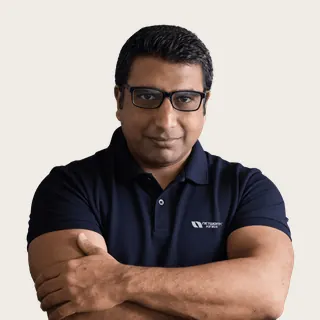
  • Atul Sharma, Founder & CEO mentor at Network KingsAtul Sharma, Founder & CEO
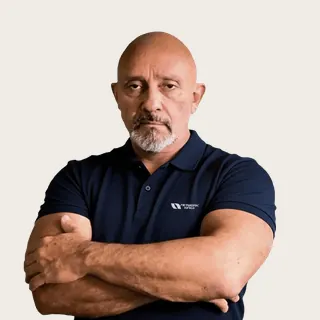
  • Lazaro (Laz) Diaz, Networking mentor at Network KingsLazaro (Laz) Diaz, Networking
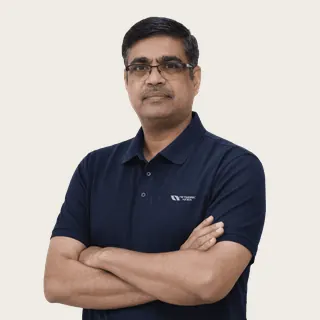
  • Sanjay Sharma, AWS mentor at Network KingsSanjay Sharma, AWS
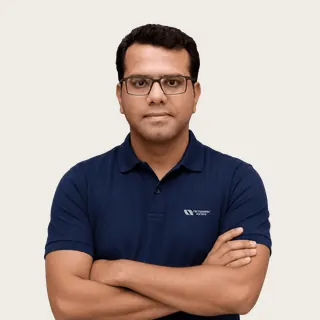
  • Vikas Kumar, Azure mentor at Network KingsVikas Kumar, Azure
  • Ajay, Azure mentor at Network KingsAjay, Azure
  • Amit Bhatt, Linux & DevOps mentor at Network KingsAmit Bhatt, Linux & DevOps

Atul Sharma (Founder & CEO, 12+ yrs), Lazaro (Networking), Sanjay Sharma (AWS, 20+ yrs) and more. Meet the mentors

Same problem, two answers. Pick a track:

On the job: Two routers' OSPF neighbours are stuck in ExStart and never reach Full.

The textbook answer

OSPF moves through Down, Init, 2-Way, ExStart, Exchange, Loading and Full. Memorise the neighbour states for the exam.

Correct. Not enough to fix it.

How a production engineer teaches it

  1. Suspect an MTU mismatch first. ExStart and Exchange stalls usually come down to it.
  2. Compare show ip ospf interface on both ends and fix the interface MTU.
  3. Use ip ospf mtu-ignore only as a stopgap, and say so in the change record.
  4. Write down why it happened, so the next engineer finds it in minutes.
  • The why behind every command, not just the syntax.
  • Hands-on labs for every topic, so the first fault you fix is not at work.
  • Doubts answered by someone who has fixed it in a live network, cloud or pipeline.