

Black Friday SaleIT 360 Bundle complimentary with every master programSee the offer
DevOps

Docker Certification and Certified Kubernetes Administrator (CKA)

Docker is an open-source project that enables operating system-level virtualization. Join Docker certification Training course and Learn from engineers

Container BasicsDocker Images and Public RegistryDocker Private Registry
Need help choosing? Request career guidance
Concept illustration of container clusters connected to a central orchestration control plane.
Docker Certification and Certified Kubernetes Administrator (CKA) — conceptual illustration

Finish Docker Certification and Certified Kubernetes Administrator (CKA). Earn a certificate students can verify

We also provide certification after you complete the course. Pass a proctored Network Kings assessment and receive a certificate with a unique credential ID and a public verification record. Students can check it in seconds, and no login is needed.

  • Issued by Network Kings. The record comes from our system and can’t be edited by the holder.
  • Live status. If a certificate is ever revoked, its record says so immediately.
  • Score on record. The assessment score is shown, so the result speaks for itself.
NETWORK KINGS - Official Digital Credential
Sample credential
Priya Menon
Docker Certification and Certified Kubernetes Administrator (CKA) Certification Assessment
Credential ID
Issued
NK-CERT-2026-104729
14 Aug 2026
Sample credential. Real credentials link to a live verification record.

How to get certified

Prepare, take your assessment, and share your achievement.

  1. Open the exam from your course

    Select Get Certification on your course in the Network Kings learning app.

  2. Take the proctored assessment

    Answer the timed questions in one sitting with your camera on and the exam in fullscreen.

  3. Pass with 70% or more

    The certification team reviews your result and emails your certificate within 24 hours.

  4. Share it anywhere

    Add it to LinkedIn or your CV. Anyone can confirm it with the ID or QR code.

THE COURSE AT A GLANCE

About this course

Looking for the best online Docker training & Certification? Docker and Kubernetes are the newest trends in Cloud Computing courses offered by DevOps training, working in collaboration with the Cloud. Learning Docker and Kubernetes together has numerous benefits. They are tools that work well together. In a nutshell, Docker training is a suite of software development tools for creating, sharing, and running individual containers; Kubernetes training is a system for operating containerized applications at scale. Learn how to create containers using Docker and manage them using Kubernetes in real-time.

Skills you’ll develop

  • Container Basics
  • Docker Images and Public Registry
  • Docker Networking
  • Docker Compose
  • Container Orchestration and Management
  • Kubernetes Basics
  • Deploying Scalable Applications with Kubernetes
  • Kubernetes Security
EXPLORE THE SYLLABUS

Built around the skills you need

Explore each area of the curriculum and the topics covered.

Container Basics
  • Application overview
  • Containers
  • Docker
  • Lab practical
Docker Images and Public Registry
  • Introduction to Docker Hub
  • Introduction to Docker images
  • Lab practical
Docker Private Registry
  • Private registry
  • Lab practical
Docker Networking
  • Overview of Docker networking
  • DNS
  • Lab practical
Docker Storage
  • Containers
  • Docker
  • Lab practical
Building Docker Image
  • Docker file
  • Automating build using Docker file
  • Docker environment
  • Lab practical
Docker Compose
  • Introduction to Docker Compose
  • Lab practical
Container Orchestration and Management
  • Orchestration tool
Kubernetes Basics
  • Kubernetes
Deploying a Highly Available and Scalable Application
  • Scaling application
  • Lab practical
Kubernetes Networking
  • Networking concepts
  • Networking
  • Lab practical
Kubernetes Storage
  • Volume
  • Storage
  • Practical lab
Advanced Kubernetes Scheduling
  • Init-containers
  • Static Pod
  • Custom Scheduler
  • Daemonsets
  • Lab practical
Kubernetes Administration and Maintenance
  • Resource quota
  • Limiting resources
  • Lab practical
Kubernetes Troubleshooting
  • Failures
  • Troubleshoot
  • Lab practical
Kubernetes Security
  • Security
  • Lab practical
GO DEEPER

More about this course

Eligibility
  • Graduation
  • Basic understanding of the IT industry
  • Basic understanding of installing and configuring applications
  • Understanding Virtualization and Linux
  • Fundamental knowledge of Cloud management
What are Docker and Kubernetes programs?

Docker and Kubernetes are two of the most popular tools used in DevOps for containerization and orchestration, respectively. Docker is an open-source platform that helps create, ship, and run applications inside containers. Containers contain everything an application needs to run. On the other hand, Kubernetes is an efficient container management tool that automates deploying and managing containers. It is also an open-source cloud computing tool.

Therefore, in the Docker and Kubernetes course, you will learn to develop, test, deploy, and scale Docker applications with Kubernetes by learning production-style development workflows. You also learn to build a CI+CD pipeline from scratch in the Docker and Kubernetes course. This course is, in fact, best for software engineers who want to take their careers to the next level by learning container technologies.

What will you learn in the online Docker and Kubernetes training program?

Once you enroll in Network Kings’ Docker and Kubernetes training, you get in-depth knowledge of the following concepts:

  • Container basics
  • Docker images and public registry
  • Docker private registry
  • Docker networking
  • Docker storage
  • Building docker image
  • Docker compose
  • Container orchestration and management
  • Kubernetes basics
  • Kubernetes architecture
  • Deploying a highly available and scalable application
  • Kubernetes networking
  • Kubernetes storage
  • Advanced Kubernetes scheduling
  • Kubernetes administration and maintenance
  • Kubernetes troubleshooting
  • Kubernetes security
What are the prerequisites for the online Docker and Kubernetes course?

You do not need any previous knowledge or experience in Docker and Kubernetes to enroll in the online course. Yet, it is recommended to have the following pre-requirements:

  • Basic understanding of Linux, especially command-line tools, system administration, and networking.
  • Familiarity with cloud computing platforms such as Amazon Web Services (AWS), and Microsoft Azure is also recommended. However, it is not compulsory.
What is the scope of the online Docker and Kubernetes course?

If you are looking to expand your skills in cloud computing and containerization, the Docker and Kubernetes training is the best course to get your hands on. These are the most popular containerization and container management technologies.

The scope of the course is mentioned below:

  • Career advancement: There are many career advancement opportunities that can come after the Docker and Kubernetes course. Some of the job titles that require Docker and Kubernetes skills include DevOps Engineer, Cloud Engineer, Site Reliability Engineer, Kubernetes Administrator, and Docker Specialist.
  • Latest in-demand skills: Once you learn Docker and Kubernetes, you get your hands on the most in-demand skills in the industry. Since cloud computing is on the rise, Docker and Kubernetes are two of the most emerging containerization technologies of the year.
  • Learn diverse tools and ecosystems: While learning Docker and Kubernetes, you also get familiar with various tools and ecosystems such as Prometheus, Istio, Helm, etc.
Where can you prepare for the Docker and Kubernetes exams?

Docker and Kubernetes certifications are often pursued by professionals who want to upskill in the cloud computing industry. Therefore, it is always recommended to have instructor-led training for such certifications.

At Network Kings, you can learn directly from Cloud Engineers with over 12 years of experience in the industry. You can enjoy the following benefits at Network Kings:

  • 24/7 free access to the largest virtual labs in the world to practice all the concepts hands-on.
  • World-class instructor-led courses covering all the industry-relevant skills.
  • Free access to all recorded sessions as well as earlier batch sessions.
  • Exclusive doubt sessions with the Docker and Kubernetes engineers.
  • Free demo sessions to get a feel for the program.
  • Access to the online portal, where you can monitor your academic progress.
  • Tips and tricks to crack job interviews.

NOTE: What are you waiting for? Book your free 1:1 career guidance session here.

What are the job opportunities after the Docker and Kubernetes course?

You can apply for several job opportunities in the DevOps and cloud computing space after completing the Docker and Kubernetes courses. These are:

  • Kubernetes Administrator
  • Docker Administrator
  • DevOps Engineer
  • Cloud Engineer
  • Site Reliability Engineer (SRE)
  • Infrastructure Engineer
  • Kubernetes Developer
  • Docker Developer
  • Microservices Developer
  • Cloud Operations Engineer
  • Cloud Solutions Architect
  • Kubernetes Consultant
  • Containerization Architect
  • Docker Consultant
  • Cloud Security Engineer
  • Continuous Integration and Deployment (CI/CD) Engineer
  • Systems Administrator
  • Cloud Migration Specialist
  • Cloud Automation Engineer
  • Cloud Platform Engineer
YOUR CAREER ROADMAP

Where this course takes you

Docker Certification and Certified Kubernetes Administrator (CKA) is stage 3 of 4 in the Network Kings Linux & DevOps Learning Path. Learners usually complete Red Hat (RHCSA + RHCE) first. The next step is DevOps Master Program.

From Linux fundamentals to containers and CI/CD 4 stages · about 165 training hours
  1. Start before this

    Linux Fundamentals

    30 hours · beginner

    • Command line
    • Users & permissions
    • File systems
  2. Start before this

    Red Hat (RHCSA + RHCE)

    40 hours · intermediate

    • RHCSA
    • RHCE
    • Ansible
  3. You are here

    Docker & Kubernetes (CKA)

    45 hours · intermediate

    • Containers
    • Kubernetes
    • Orchestration
  4. Next step

    DevOps Master Program

    50 hours · advanced

    • CI/CD
    • Terraform
    • Ansible
Ready to start with Docker Certification and Certified Kubernetes Administrator (CKA)?Try the free lab first, or review the fee and enroll in a few steps.

Connect the concepts.
Put them to work

Move from understanding a system to configuring, testing and improving it through guided practice.

  • Configure a network

    Trace connections and practice working with devices and services.

  • Test what changes

    Explore lab scenarios and inspect how configuration choices affect a system.

  • Build repeatable workflows

    Explore Linux, scripting and automation in the relevant learning paths.

Explore the lab environments

Confirm the available labs and access period for your chosen course.
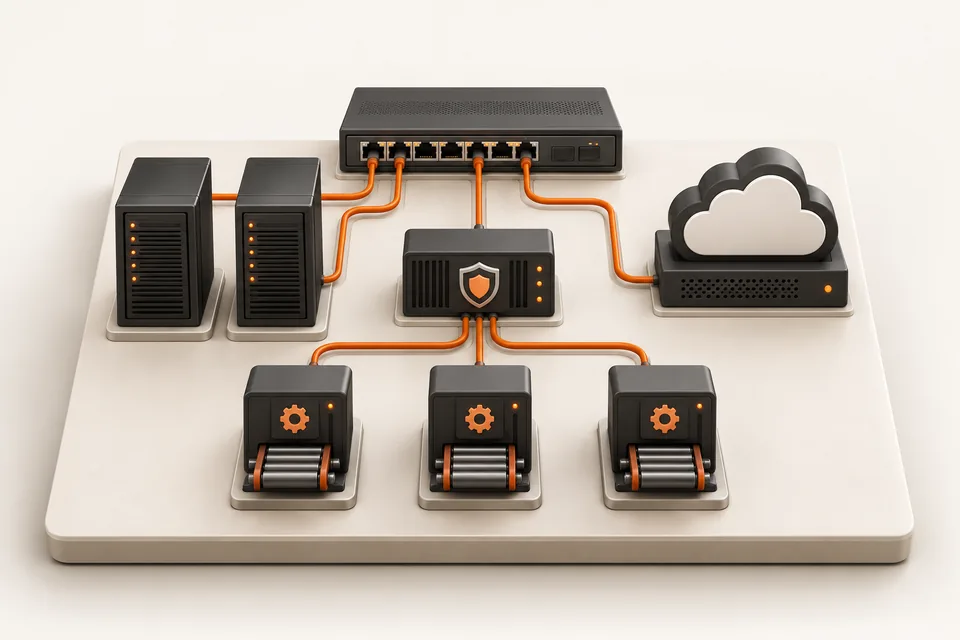
Illustration of a miniature switch, servers, cloud, security gateway and delivery modules connected in an infrastructure learning lab.
A connected view of networking, cloud, security and automation.

Learn from top 1% engineers.

Meet instructors who bring networking, cloud and automation experience into the classroom.

Atul Sharma
Founder · Networking

Atul Sharma

12+ years in networking

Networking experience spanning Aricent, TCS, Apple and Juniper.

Sanjay Sharma
AWS cloud

Sanjay Sharma

20+ years of experience

Cloud mentor bringing extensive hands-on AWS experience to the classroom.

Amit Bhatt
Linux & DevOps

Amit Bhatt

11+ years of experience

DevOps automation experience at CDAC, IBM and Integrated Solutions.

Industry experience. Practical explanations. A human connection.

Explore Network Kings

Aadil Hameed dar

Aadil Hameed dar

Network Engineer L1

“Industry-expert trainers made networking easy to understand.”

Shared with Network Kings

Explore, talk it through, or enroll

See the syllabus and fees at your own pace. Request personal guidance when you need help choosing.

Find the right direction

Discuss your experience, interests and the skills you want to build with our team.

Request career guidance

Have a course question?

Ask about prerequisites, live classes, lab access or the enrollment options for your course.

Request a callback

Ready for your next skill?

Compare our learning formats, then open your chosen course to review enrollment options.

Explore learning plans

Use the enquiry form to share your course interest, or WhatsApp/email to include a callback or guidance request.

Why learn from the top 1% of engineers?

Because passing an exam and doing the job are different skills, and only experience closes the gap. Network Kings mentors have spent 11 to 20+ years building and running networks, cloud platforms and pipelines at companies like Apple, Juniper Networks, IBM and CDAC. They teach what breaks in production, why, and how engineers fix it under pressure.

  • Amit Bhatt, Linux & DevOps mentor at Network KingsAmit Bhatt, Linux & DevOps
  • Atul Sharma, Founder & CEO mentor at Network KingsAtul Sharma, Founder & CEO
  • Sanjay Sharma, AWS mentor at Network KingsSanjay Sharma, AWS
  • Vikas Kumar, Azure mentor at Network KingsVikas Kumar, Azure
  • Ajay, Azure mentor at Network KingsAjay, Azure
  • Lazaro (Laz) Diaz, Networking mentor at Network KingsLazaro (Laz) Diaz, Networking

Amit Bhatt (Linux & DevOps, 11+ yrs), Atul Sharma (Founder & CEO, 12+ yrs), Sanjay Sharma (AWS, 20+ yrs) and more. Meet the mentors

Same problem, two answers. Pick a track:

On the job: The release pipeline fails at 2 AM, and production is half-deployed.

The textbook answer

CI/CD automates build, test and deployment. If the pipeline fails, check the logs to find the error.

Correct. Not enough to fix it.

How a production engineer teaches it

  1. Roll back first, debug second. Users come before root cause.
  2. Diff the lockfile and pin the dependency that changed overnight.
  3. Reproduce it in a throwaway container and add the test that would have caught it.
  4. Write a five-line postmortem the team will actually read.
  • The why behind every command, not just the syntax.
  • Hands-on labs for every topic, so the first fault you fix is not at work.
  • Doubts answered by someone who has fixed it in a live network, cloud or pipeline.