
Black Friday SaleIT 360 Bundle complimentary with every master programSee the offer
CloudFLAGSHIP PROGRAM

Cloud Architect Flagship Program

Become a Cloud Architect on Azure or AWS, your choice. Learn cloud administration, cloud security and cloud networking, then automate it all with the complete AI-Ready DevOps master program: 160+ live hours and 24×7 labs.

AZ-104 / SC-500 / AZ-700 or AWS SAA / Security / NetworkingComplete DevOps programCloud architecture & automation

Everything you get

Live classes, 24×7 labs and IT 360 Bundle — in one fee

  • 160+ hrs live: AZ-104 or AWS SAA, SC-500 or AWS Security, AZ-700 or AWS Networking & complete DevOps programTaught live by senior engineers — ask your doubt mid-class and get it solved on screen, not in a comment box three days later.Included
  • 24×7 hands-on lab accessReal Cisco and Palo Alto topologies in your browser — practise at 2 AM if that's when you learn best.Included
  • Recording of every classMissed a class for work or exams? Watch it the same night and never fall behind the batch.Included
  • 1:1 Zoom resume & career sessionBonusA trainer reviews your resume and maps your next role with you, one to one.Included
  • IT 360 Bundle · 10 self-paced coursesBonusLearn Cloud in the same fee: AWS Solutions Architect and Azure AZ-104 come with your networking program — plus RHCSA Linux, a must-have for every network engineer.
    • Cisco CCNA
    • Microsoft MCSA
    • Office 365
    • VMware VCP
    • SCCM
    • Microsoft Intune
    • CompTIA Security+
    Included

Direct enrollment

Enroll online. No sales call needed

$1,998

One-time fee. IT 360 Bundle, 24×7 labs and a resume & career session included.

Enrollment offer: Cloud Architect Flagship Program. Review the final amount and included access on checkout.

Need help choosing? Request career guidance
Lab running
Your cloud lab
Compute
Storage
Virtual network
Identity
DNS
Database
Serverless
Load balancer
LIVE LAB1/5
Launching your cloud lab…
Diagram: a your cloud lab connected to Compute, Storage, Virtual network, Identity, DNS, Database, Serverless, Load balancer.

What is inside the Cloud Architect Flagship Program?

Cloud Architect Flagship Program is a live, instructor-led program with 160+ live hours. It covers 20 modules and 34 guided labs. Try Azure Labs free before you enroll.

Live training
160+ live hours
Curriculum
4 stages · Azure or AWS track + complete DevOps
  • Azure track · Microsoft Azure Administrator (AZ-104)
  • AWS track · AWS Solutions Architect – Associate (SAA-C03)
  • Azure track · Implementing End-to-End Security Controls (SC-500)
  • AWS track · AWS Security Specialty (SCS-C03)
  • and 16 more in the curriculum
Guided labs
34 labs
Practice lab
Azure Labs, free trial before you enroll

Finish Cloud Architect Flagship Program. Earn a certificate students can verify

We also provide certification after you complete the course. Pass a proctored Network Kings assessment and receive a certificate with a unique credential ID and a public verification record. Students can check it in seconds, and no login is needed.

  • Issued by Network Kings. The record comes from our system and can’t be edited by the holder.
  • Live status. If a certificate is ever revoked, its record says so immediately.
  • Score on record. The assessment score is shown, so the result speaks for itself.
NETWORK KINGS - Official Digital Credential
Sample credential
Priya Menon
Cloud Architect Flagship Program Certification Assessment
Credential ID
Issued
NK-CERT-2026-104729
14 Aug 2026
Sample credential. Real credentials link to a live verification record.

How to get certified

Prepare, take your assessment, and share your achievement.

  1. Open the exam from your course

    Select Get Certification on your course in the Network Kings learning app.

  2. Take the proctored assessment

    Answer the timed questions in one sitting with your camera on and the exam in fullscreen.

  3. Pass with 70% or more

    The certification team reviews your result and emails your certificate within 24 hours.

  4. Share it anywhere

    Add it to LinkedIn or your CV. Anyone can confirm it with the ID or QR code.

Join this program, or learn more than one technology

Companies hire engineers who work across networking, cloud, security and automation. Pick how deep you want to go.

Cloud Architect Flagship Program

₹11,000/ month × 12

  • Live batches with a mentor
  • The full roadmap for this field
  • 24x7 labs and the IT 360 Bundle
Join this master program
Best for multi-technology careers

Live Access Pass

₹12,999/ month × 12

  • Join any of 200+ live batches a year
  • Every master program, including this one
  • All Access Pass (50+ recorded courses) and MockInterviewz
See the Live Access Pass

Taking 3 or more master programs? The pass (₹1,55,988 in total) costs less than buying them one by one, and adds the All Access Pass and MockInterviewz.

YOUR PROGRAM ROADMAPFLAGSHIP

Cloud Architect Flagship Roadmap

Become a Cloud Architect on Azure or AWS: administer, secure, connect and automate the cloud. Cloud Architect Flagship follows 6 stages: AZ-104 or AWS Solutions Architect, SC-500 or AWS Security Specialty, AZ-700 or AWS Advanced Networking, DevOps: Linux · Git · Python · Ansible and more.

₹6 LPA → ₹50+ LPA
WHO CAN LEARN THIS
  • System Administrator
  • Network Engineer
  • Cloud Support
  • IT Engineer
  • Cloud Administration
  • Cloud Security
  • Cloud Networking
  • Cloud Automation & DevOps
  1. AZ-104 or AWS Solutions Architect35+ hrs · 5 labs · capstone project1/6
  2. SC-500 or AWS Security Specialty30+ hrs · 5 labs · capstone project2/6
  3. AZ-700 or AWS Advanced Networking25+ hrs · 5 labs · capstone project3/6
  4. DevOps: Linux · Git · Python · Ansible1 lab4/6
  5. Docker · CI/CD · Terraform5/6
  6. Kubernetes · GitOps · AIOps2 labs6/6

Career Roles

4 PATHS
  • Cloud Administrator
  • Cloud Security Engineer
  • Cloud DevOps Engineer
  • Cloud Architect

Salary Potential

8X GROWTH
Cloud Administrator
₹6–9 LPA
Cloud Security / DevOps Engineer
₹14–22 LPA
Cloud Architect
₹30–50 LPA
IN THIS PROGRAM
  • 160+ live hours
  • 34 lab exercises
  • 7 capstone projects
  • 4 stages · Azure or AWS track + complete DevOps
  • Recording of every class
  • 24×7 Azure Labs

Salary ranges are indicative and vary by city, skills and employer; they are not a guarantee.
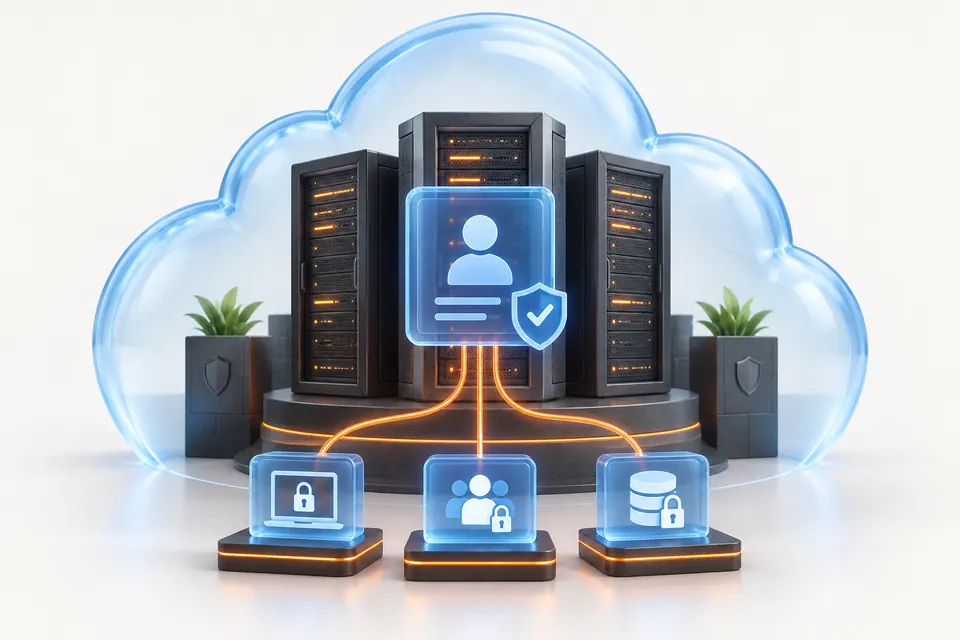
Concept illustration of cloud servers protected by identity and access controls.
CONNECT THE CONCEPTS

Explore the systems behind Cloud Architect Flagship

The roadmap above shows how the subjects connect. Explore the curriculum below for every topic, lab and project.

EXPERIENCE THE ROLE

See what a Cloud Security Engineer really does, minute by minute

Watch a real-world incident unfold on the engineer’s screens and in a 3D model of the systems they look after. Then type the commands yourself and try the same task in a lab.

LIVE SHIFT

A storage bucket with customer invoices is public

Cloud security console
  • Bucket invoices-prod allows public readCRITICAL
  • Role app-deployer has full admin rightsHIGH
  • Access logging off on 2 bucketsMEDIUM
  • MFA enabled for all adminsPASS
incident-room
  1. Security monitor

    CRITICAL: invoices-prod is publicly readable.

The systems you look after
10:05 · STEP 1 OF 5

The finding

The security monitor flags a critical issue: the storage bucket holding customer invoices can be read by anyone on the internet.

You learn this in the program: Cloud security posture tools

Illustrative shift based on common real-world incidents. Names, times and numbers are examples.

YOUR TURN

Type the commands yourself, and get an honest answer about AI

aws-cli · prod-accountYour turn: type a command
aws iam list-attached-role-policies --role-name app-test
PolicyName: AdministratorAccess
# Admin rights on a test app. What would you do?
# Your turn. Type a command, or tap one below. Start with: help
Not sure what to type? Tap one:
AI REALITY CHECK · CLOUD SECURITY ENGINEER

More to protect as AI adoption grows

AI is already good at

  • Scans for misconfigurations and rates severity
  • Suggests least-privilege IAM policies
  • Drafts remediation steps and reports

You stay essential for

  • Decides which risk the business will accept
  • Secures AI workloads, data and model access
  • Investigates real incidents across accounts
  • Is accountable when something is exposed

Skill to add: Learn IAM deeply and Infrastructure-as-Code security, then add AI and LLM workload security.

  • AWS Security Hub
  • Defender for Cloud
  • IAM
  • Terraform
  • Prowler

Our assessment, not a guarantee. No job is fully AI-proof: people who use AI well replace people who do not.

3-MINUTE CHALLENGE

Five cloud-security calls, from a public bucket to an over-powered role.

Score yourself, get a badge, and see why each answer is right or wrong.

Start the challenge
DO THIS TASK YOURSELF

Open the AWS Labs trial and work through the same kind of task

Real systems, guided steps. The lab site opens only when you click.

Open the AWS Labs trial
READY WHEN YOU ARE

Batch dates for this program are announced on the upcoming events page.

Review the fee and your enrollment offer before you pay.

YOUR PROGRAM AT A GLANCE

Run the cloud. Secure it. Connect it. Automate it.

Become a Cloud Architect on Azure or AWS, your choice. Learn cloud administration, cloud security and cloud networking, then automate it all with the complete AI-Ready DevOps master program: 160+ live hours and 24×7 labs.

Live training
160+ live hours
Curriculum
4 stages · Azure or AWS track + complete DevOps
Learning approach
Classes + practical work

Included in your learning experience

  • 160+ hours of LIVE instructor-led training: 80–90+ cloud + 80+ DevOps
  • Your choice of track: Azure (AZ-104, SC-500, AZ-700) or AWS (SAA-C03, SCS-C03, ANS-C01)
  • The complete AI-Ready DevOps master program: 14 modules, AI in every module
  • 24×7 Azure or AWS cloud labs plus DevOps labs
  • Capstone project in every cloud module and the AskOps DevOps capstone
  • Interview preparation & mock interviews
  • 1 year access to class recordings
  • Dedicated community support
FIND YOUR STARTING POINT

Is this program for you?

  • System or Windows administrator moving to cloud
  • Network engineer who wants cloud and automation together
  • Cloud support or junior cloud engineer aiming for architect roles
  • Fresher with IT basics who wants one complete cloud path
  • DevOps learner who also wants cloud security and networking depth
  • Want the Cloud Security and DevOps master programs in one plan

Discuss your current skills with an advisor to choose the right starting point and batch.

Still choosing? Find your learning path
EXPLORE THE FULL SYLLABUS

From foundations to applied skills

Follow the complete curriculum, including the topics, lab exercises and project work in each section.

Stage 1 · Cloud Administrator

Cloud Administrator — Azure AZ-104 or AWS Solutions Architect

Choose Azure or AWS when you enroll. Every cloud stage shows both tracks; you learn the one you choose.

01

Azure track · Microsoft Azure Administrator (AZ-104)

30+ hrs
Azure Fundamentals & Governance
  • Azure Subscriptions & Resource Groups
  • Azure Resource Manager (ARM)
  • Management Groups & Policies
  • Cost Management & Billing
  • Azure Regions & Availability Zones
Compute · Storage · Databases
  • Azure Virtual Machines
  • VM Scale Sets
  • Azure App Service
  • Azure Container Instances
  • Azure Kubernetes Service
  • Blob · Files · Queues · Tables
  • Storage Tiers & Lifecycle
  • Azure SQL · Cosmos DB
  • Backup & Site Recovery
Networking Services
  • Virtual Networks · Subnets
  • NSGs · Application Security Groups
  • Azure Load Balancer · App Gateway
  • VNet Peering · Service Endpoints
Identity, Monitoring & Backup
  • Microsoft Entra ID (Azure AD)
  • RBAC · Custom Roles
  • Azure Monitor · Log Analytics
  • Azure Alerts & Workbooks
  • Azure Backup & Snapshots
  • Key Vault · Managed Identities
Included Labs
  • Deploy HA Virtual Machines
  • Configure Azure Storage
  • VNet & NSG Configuration
  • RBAC & Policy Assignment
  • Azure Monitor & Alerts
APPLY WHAT YOU LEARN
Deploy a Highly Available Multi-Tier Application on Azure
  • Design multi-tier architecture with VMs, App Service & Azure SQL
  • Implement RBAC, Key Vault, backup & monitoring
02

AWS track · AWS Solutions Architect – Associate (SAA-C03)

35+ hrs
AWS Fundamentals
  • Global Infrastructure
  • Regions & Availability Zones
  • Shared Responsibility Model
  • AWS Well-Architected Framework
  • Cloud Economics & Billing
Compute · Storage · Database
  • Amazon EC2
  • Auto Scaling
  • Elastic Load Balancer
  • AWS Lambda
  • Containers & ECS / EKS
  • Amazon S3 · EBS · EFS
  • Backup & Recovery
  • RDS · Aurora · DynamoDB
  • ElastiCache
Networking Services
  • Amazon VPC · Subnets · Route Tables
  • NAT Gateway · Internet Gateway
  • VPC Peering · Transit Gateway
  • PrivateLink · Hybrid Connectivity
Identity, Security & HA
  • IAM · IAM Roles · MFA
  • KMS · Secrets Manager
  • CloudTrail · AWS Organizations
  • Multi-AZ Architecture
  • Disaster Recovery Planning
  • Business Continuity
Included Labs
  • Highly Available Architectures
  • Multi-Tier Applications
  • VPC Networking
  • Secure AWS Resources
  • Disaster Recovery
APPLY WHAT YOU LEARN
Design & Deploy a Highly Available Enterprise Application on AWS
  • Design multi-tier VPC architecture with HA across AZs
  • Deploy application with auto scaling, load balancing & DR
Stage 2 · Cloud Security

Cloud Security — Azure SC-500 or AWS Security Specialty

03

Azure track · Implementing End-to-End Security Controls (SC-500)

25+ hrs
Manage Identity, Access & Governance
  • Secure Access via Microsoft Entra ID
  • Conditional Access & Identity Protection
  • Governance for Security & Compliance
  • Azure Policy & Management Groups
  • Azure Key Vault — Secrets & Keys
  • Managed Identities & RBAC
Secure Storage, Databases & Networking
  • Storage Account Security & Encryption
  • SAS Tokens · Storage Firewall · Private Endpoints
  • Azure SQL Security · TDE · Audit Logs
  • Azure Firewall & Firewall Manager
  • Application Gateway & WAF
  • DDoS Protection · Private Link
  • VNet Service Endpoint Policies
  • Azure Front Door & Web App Firewall
Secure Compute & AI Workloads
  • VM Security Policies · JIT Access · Bastion
  • App Service Security & Managed Identity
  • AKS Security · Container Registry
  • Security Controls for AI Services
  • Threat Modeling for Cloud Workloads
  • Defender for Servers & Vulnerability Mgmt
Manage & Monitor Security Posture
  • Microsoft Defender for Cloud — CSPM
  • Secure Score & Recommendations
  • Microsoft Sentinel — SIEM/SOAR
  • Activity & Event Collection in Sentinel
  • Azure Monitor & Log Analytics
  • Microsoft Security Copilot
Included Labs
  • Key Vault & Managed Identity
  • Secure Storage & Database
  • Azure Firewall & WAF Policies
  • Defender for Cloud Setup
  • Sentinel Analytics Rules
APPLY WHAT YOU LEARN
Implement End-to-End Security Controls for an Azure Enterprise Environment
  • Deploy Defender for Cloud, Sentinel with analytics rules & incident response
  • Secure compute, storage & networking with governance policies & Key Vault
04

AWS track · AWS Security Specialty (SCS-C03)

30+ hrs
Identity & Access Security
  • Advanced IAM
  • IAM Federation & SSO
  • Cross Account Access
  • Permission Boundaries
Data Protection & Monitoring
  • AWS KMS · CloudHSM
  • Encryption at Rest & in Transit
  • CloudTrail · CloudWatch · Config
  • Security Hub · GuardDuty
  • Detective · Incident Response
Infrastructure Security & Compliance
  • Security Groups · NACLs
  • WAF · AWS Shield
  • Firewall Manager
  • Zero Trust Security
  • Inspector · Macie
  • Compliance Frameworks
  • AWS Organizations · SCPs
  • Landing Zone · Governance
Included Labs
  • Secure AWS Environments
  • Security Monitoring
  • Threat Detection
  • Incident Response
  • Enterprise Security Controls
APPLY WHAT YOU LEARN
Secure a Multi-Account Enterprise AWS Environment
  • Deploy Landing Zone with SCPs & centralized logging
  • Configure threat detection, GuardDuty & incident response
Stage 3 · Cloud Networking

Cloud Networking — Azure AZ-700 or AWS Advanced Networking

05

Azure track · Azure Network Engineer Associate (AZ-700)

25+ hrs
Core Networking & Hybrid Connectivity
  • Advanced VNet Design & Subnets
  • VNet Peering · Service Endpoints
  • Azure Private Endpoints
  • VPN Gateway · Point-to-Site VPN
  • Azure ExpressRoute
  • Azure Virtual WAN
  • Hub-Spoke & Multi-Region Connectivity
Security, DNS & Traffic Management
  • Azure Firewall & Firewall Manager
  • Application Gateway & WAF
  • Azure Front Door & CDN
  • Azure DNS · Private DNS Zones
  • DDoS Protection · Bastion
  • Network Watcher · Flow Logs
  • Traffic Manager & Load Balancer
Included Labs
  • Hub-Spoke VNet Lab
  • VPN Gateway Setup
  • Azure Firewall Policy
  • App Gateway & WAF
  • Network Troubleshooting
APPLY WHAT YOU LEARN
Design a Secure Hybrid Cloud Network for a Global Enterprise on Azure
  • Build Azure Virtual WAN hub-and-spoke with ExpressRoute connectivity
  • Implement Azure Firewall with centralised inspection & WAF policies
06

AWS track · AWS Advanced Networking Specialty (ANS-C01)

25+ hrs
Advanced Networking & Hybrid Connectivity
  • Advanced VPC Design
  • Transit Gateway · VPC Peering
  • AWS PrivateLink
  • Network Segmentation
  • Site-to-Site VPN
  • AWS Direct Connect
  • Multi-Region Connectivity
DNS · Security · Enterprise Architecture
  • Route 53 · Global Accelerator
  • CloudFront · Traffic Optimization
  • Network Firewall · DDoS Protection
  • Multi-Account Networking
  • Hub and Spoke Architecture
  • VPC Flow Logs · Reachability Analyzer
  • Infrastructure as Code Concepts
Included Labs
  • Hybrid Cloud Labs
  • VPN Deployment
  • Direct Connect Labs
  • Enterprise Networking
  • Cloud Network Troubleshooting
APPLY WHAT YOU LEARN
Design a Secure Hybrid Cloud Network for a Global Enterprise
  • Build Transit Gateway hub-and-spoke with Direct Connect
  • Implement Network Firewall with centralized inspection
Stage 4 · Cloud Automation

Cloud Automation — Complete AI-Ready DevOps Master Program

The complete AI-Ready DevOps Master Program: 14 modules from Linux to Kubernetes, with AI in every module and the AskOps production capstone.

07

Linux

Command line, scripting, system admin. AI angle: use AI to write and explain shell scripts, then verify them.

What you'll learn
  • Filesystem, permissions, users and groups, processes, package management
  • Networking basics: IP, ports, DNS, SSH, curl, firewalls
  • Services and logs with systemd and journalctl
  • Bash scripting: variables, loops, functions, cron jobs
  • Troubleshooting a slow or broken server: CPU, memory, disk, logs
The AI edge
  • Use an AI assistant to explain unfamiliar commands and error messages
  • Generate scripts with AI, then test them and spot unsafe commands before you run them
  • Use AI terminal assistants safely: what to share and what never to paste
08

Git & GitHub

Version control, teamwork, code review. AI angle: AI-assisted reviews and commit messages; GitHub as your portfolio.

What you'll learn
  • Commits, branches, merge vs rebase, resolving conflicts
  • Pull requests, code review, branch protection
  • Team workflows: trunk-based development and conventional commits
  • GitHub Issues and Projects for planning work
The AI edge
  • AI-generated commit messages and PR summaries, and when to rewrite them
  • AI code review assistants: what they catch and what they miss
  • Building a GitHub profile recruiters can browse
09

Python for DevOps, APIs and AI

Automation, REST APIs, Flask. AI angle: call LLM APIs from your own Python code.

What you'll learn
  • Python basics: data types, functions, modules, error handling, virtual environments
  • Working with files, JSON and YAML
  • Calling REST APIs with requests; automating cloud and tool APIs
  • Building a small REST API with Flask; testing with pytest
  • Calling LLM APIs: prompts, structured JSON output, rate limits and token cost
The AI edge
  • Write your first AI-powered tool: a script that reads log files and summarizes errors in plain English
  • Learn how LLM APIs work under the hood, so the AI later in the course isn't a black box
Hands-on
  • A Flask API plus an AI log summarizer, both tested and committed to GitHub
10

Ansible

Configuration management at scale. AI angle: have AI draft roles, then find and fix what it got wrong.

What you'll learn
  • Inventories, ad-hoc commands, playbooks, variables, handlers
  • Roles and collections; Jinja2 templates
  • Idempotency: why running a playbook twice must change nothing the second time
  • Ansible Vault for secrets; managing Linux and Windows hosts
  • Introduction to Ansible Automation Platform (AAP)
The AI edge
  • Let AI draft a role, then find the bugs: non-idempotent tasks, hard-coded secrets, invented module options
  • Use ansible-lint and tests as the final check on AI-written automation
  • Preview: in Module 13, Ansible becomes the "hands" of an AI ops agent
11

Docker & Microservices

Containers, Compose, service design. AI angle: containerize an AI chatbot with a vector database.

What you'll learn
  • Monolith vs microservices: when each makes sense, and the trade-offs
  • Docker images, containers, volumes and networks
  • Writing good Dockerfiles: multi-stage builds, small images, non-root users
  • Docker Compose for running multi-service apps locally
  • Container registries and image tagging
The AI edge
  • Containerize a real AI chatbot: a Python API, a vector database and a front end
  • Review AI-generated Dockerfiles for common mistakes: running as root, bloated images, secrets baked in
12

CI/CD & DevSecOps

GitHub Actions, Jenkins, security scans. AI angle: pipelines that check AI-written code like any other code.

What you'll learn
  • CI/CD concepts: build, test, release, deploy
  • GitHub Actions in depth: workflows, jobs, matrices, reusable workflows
  • Jenkins: pipelines as code with a Jenkinsfile, agents, plugins
  • Security in the pipeline: secret scanning (Gitleaks), image scanning (Trivy), SBOMs, image signing (Cosign)
  • Keyless cloud access with OIDC, so no passwords or keys sit in your pipeline
The AI edge
  • Treat AI-written code like any other code: it must pass the same tests and scans
  • Use AI to explain failing pipeline logs and suggest fixes, then confirm them yourself
  • Test AI features in CI with a mock model, so tests stay fast and free
13

AWS for DevOps

Core cloud services, IAM, cost control. AI angle: managing the cost of AI and GPU workloads.

What you'll learn
  • Core services: EC2, VPC networking, S3, RDS, Elastic Load Balancing, Auto Scaling
  • Identity and security: IAM users, roles and policies; least privilege; Secrets Manager
  • Containers on AWS: ECR, ECS with Fargate, and an introduction to EKS
  • AWS developer tools: CodePipeline and CodeBuild; monitoring with CloudWatch
  • Cost control (FinOps): budgets, alerts, right-sizing, spot instances
The AI edge
  • Why AI workloads are expensive (GPUs, tokens, storage) and how teams keep the bill under control
  • A tour of AWS's AI services, such as Amazon Bedrock, and where DevOps engineers fit in
  • Use AI assistants to read and explain IAM policies, then check them against least privilege yourself
14

Terraform

Infrastructure as code. AI angle: AI-drafted infrastructure, caught by policy checks.

What you'll learn
  • Providers, resources, variables, outputs, data sources
  • State: remote state in S3, locking, and why it matters for teams
  • Modules and separate environments (dev and prod) from the same code
  • Plan and apply workflows in CI, with the plan posted for review
  • Policy and quality checks: tflint, Checkov, and an introduction to policy as code
The AI edge
  • Have AI draft infrastructure, then catch what it gets wrong: open security groups, public buckets, missing encryption
  • Let automated policy checks act as a safety net for both humans and AI
15

Kubernetes

Deploying and scaling containers. AI angle: running AI workloads and autoscaling them.

What you'll learn
  • Architecture: control plane, nodes, pods
  • Deployments, Services, Ingress, ConfigMaps and Secrets
  • Health probes, resource requests and limits, autoscaling (HPA)
  • Storage, namespaces, RBAC and network policies
  • Packaging apps with Helm; running on Amazon EKS, plus local clusters (kind or k3d)
The AI edge
  • Use AI to explain kubectl output and debug failing pods: CrashLoopBackOff, Pending, OOMKilled
  • How AI workloads differ: heavier memory needs, long-running requests, GPU scheduling
Hands-on
  • Deploy the AI chatbot to Kubernetes with autoscaling, then survive a node failure without downtime
16

GitOps with Argo CDNew

Argo CD, Git as the single source of truth. AI angle: safe, reviewable change flow for AI agents too.

What you'll learn
  • GitOps principles: Git as the single source of truth for what runs in the cluster
  • Argo CD: applications, sync, self-healing, drift detection
  • Promoting releases from dev to prod through pull requests
  • Rolling back a bad release by reverting one commit
  • Admission policies with Kyverno: allow only signed images, block root containers
The AI edge
  • GitOps is the safest way to let automation, including AI agents, change production: every change is a reviewable pull request with a full history
17

Observability & SRENew

Metrics, logs, traces, SLOs, incidents. AI angle: monitoring LLM latency, token cost and answer quality.

What you'll learn
  • The three signals: metrics (Prometheus), logs (Loki), traces (OpenTelemetry)
  • Dashboards in Grafana; alerts with Alertmanager
  • SRE practice: SLIs, SLOs and error budgets; alerting on what users feel
  • Incident response: on-call, runbooks, and blameless postmortems
The AI edge
  • Monitoring AI apps: response latency, tokens used, cost per request, rate-limit errors and "no answer" rate
  • Use AI to summarize noisy logs during an incident, while you keep the final call
18

Deploying AI Apps (LLMOps)New

LLMOps: serving and operating AI apps. AI angle: RAG apps, model serving, GPU nodes.

What you'll learn
  • How an AI app works: LLMs, embeddings, vector databases and RAG, explained for engineers
  • Hosted models through an API vs self-hosted open models
  • Serving models on Kubernetes: GPU node pools, inference servers (vLLM, Ollama), autoscaling on load
  • Operating AI apps: rate limits, retries, caching, prompt and model versioning, API keys
  • Testing AI apps: a fixed question set scored on every change
  • AI security basics: prompt injection, data leakage, guardrails
Hands-on
  • Deploy a RAG chatbot that answers questions from your own documents, then compare a hosted model against a self-hosted one on speed and cost
19

AIOps & AI AgentsNew

Automated operations. AI angle: agents that diagnose alerts and fix them after human approval.

What you'll learn
  • What AIOps is: using AI to detect, diagnose and fix operational problems
  • How AI agents work: an LLM plus tools plus a loop
  • Giving agents tools through MCP (Model Context Protocol): read metrics, logs, query Kubernetes
  • Building an alert-triage agent: gathers evidence, writes a diagnosis, proposes a fix
  • Guardrails: read-only by default, allow-list of actions, human approval, full audit log
  • Executing approved fixes through Ansible runbooks or GitOps pull requests; when not to trust the agent
Hands-on
  • Build an ops agent that receives a real alert, investigates it, and opens a ticket with its diagnosis and an approve button. The fix runs only after a human says yes
20

Capstone: AskOps

Everything, end to end. AI angle: ship an AI app to production with an AI ops agent.

What you'll learn
  • In teams, you build AskOps, an AI assistant that answers questions from company documents, and run it in production the way a real platform team would
APPLY WHAT YOU LEARN
What you build
  • The AI app: three Python microservices, containerized and tested
  • CI pipelines with security scanning and signed images
  • The full AWS environment in Terraform, with servers configured by Ansible
  • Deployment to Kubernetes through Argo CD
  • Dashboards, SLOs and alerts, including AI cost and quality metrics
  • An AI ops agent that diagnoses alerts and fixes them after human approval
LEARNING THAT YOU CAN APPLY

Turn the syllabus into practical work

Work through the exercises with your instructor, test configurations and explain the decisions behind your solution.

Skills you’ll work toward

  • Administer Azure subscriptions or AWS accounts: identity, compute, storage and monitoring
  • Secure cloud identities, data and workloads with zero-trust controls and threat detection
  • Design VNets or VPCs, hybrid connectivity, load balancing and private access
  • Automate infrastructure with Terraform and Ansible, and ship with CI/CD and containers
  • Run production workloads on Kubernetes with GitOps, observability and AI ops agents
PLAN THE NEXT STEP

Build on your program

Explore the supporting bundles and career services available with this program. Your selected enrollment offer sets the final inclusions.

IT 360 Self-Paced Bundle · 10 coursesOptional bundle

CCNA gives you the networking base, MCSA covers Active Directory and RHCSA Linux prepares you for cloud automation. Self-paced video on the Network Kings learning platform, alongside your live classes.

  • Cisco CCNA
  • Microsoft MCSA
  • RHCSA Red Hat Linux
  • AWS Solutions Architect
  • Azure AZ-104 Administrator
  • VMware VCP
  • Office 365
  • SCCM
  • Microsoft Intune
  • CompTIA Security+

How the learning areas connect

Explore the learning areas in this path. Check the curriculum above for the subjects included in your program.

  1. Stage 1 · AdministerAZ-104 or AWS SAA
  2. Stage 2 · SecureSC-500 or AWS Security Specialty
  3. Stage 3 · ConnectAZ-700 or AWS Advanced Networking
  4. Stage 4 · AutomateLinux · Git · Python · Ansible · Docker · CI/CD · Terraform · Kubernetes · GitOps · AIOps

Career directions to explore

Roles depend on your experience, practical skills and the opportunities you pursue.

  • CloudCloud Administrator → Cloud Engineer → Senior Cloud Engineer → Cloud Architect
  • Cloud SecurityCloud Security Engineer → Cloud Security Specialist → Cloud Security Lead → Cloud Security Architect
  • AutomationDevOps Engineer → Cloud DevOps Engineer → Platform Engineer → Solutions Architect
  • Cloud ArchitectDesign secure, connected and automated cloud platforms end to end.
  • Cloud Security EngineerProtect identities, data and workloads in Azure or AWS.
  • Cloud DevOps EngineerAutomate cloud infrastructure and delivery pipelines.
BEFORE YOU GET STARTED

Your questions, answered

What is the Cloud Architect Flagship Program?

It is two complete master programs in one plan: the Azure or AWS Cloud Security Master Program (cloud administration, cloud security and cloud networking) and the AI-Ready DevOps Master Program for cloud automation. 160+ live hours in total.

Can I choose Azure or AWS?

Yes. Pick one cloud when you enroll. The Azure track covers AZ-104 (administrator), SC-500 (security) and AZ-700 (networking). The AWS track covers Solutions Architect Associate (SAA-C03), Security Specialty (SCS-C03) and Advanced Networking Specialty (ANS-C01).

What is the learning order?

Stage 1 Cloud Administrator (AZ-104 or AWS SAA), Stage 2 Cloud Security (SC-500 or AWS Security Specialty), Stage 3 Cloud Networking (AZ-700 or AWS Advanced Networking), then Stage 4 Cloud Automation with the complete DevOps batch.

Which certifications does it prepare me for?

Three Microsoft Azure or three AWS certifications, depending on your track, plus practical DevOps skills across Linux, Git, Python, Ansible, Docker, CI/CD, Terraform and Kubernetes. Training follows the official exam blueprints. Exam vouchers are included only when your enrollment offer says so; check the inclusions at checkout and the vendor's current exam requirements before booking.

Do I need cloud experience to join?

No. Stage 1 starts with cloud administration, and DevOps starts from Linux fundamentals. Basic IT or networking knowledge helps. If you already hold AZ-104 or AWS SAA, discuss a faster start with an advisor.

Will I get hands-on labs?

Yes. Azure Labs (azure.nwkings.com) or AWS Labs (aws.nwkings.com) for your cloud track, and DevOps & Cyber Labs (labs.nwkings.com) for automation, plus a capstone project in every cloud module and the AskOps DevOps capstone.

What does the program cost?

₹11,000 a month for 12 months with no-cost EMI (₹1,32,000 in total, including 18% GST) in India, or US$1,998 outside India. The fee is shown at checkout on this page.

How do I enroll?

Use View fee & enroll on this page to pay online, or request a callback. A course advisor confirms your track, the next live batches for your cloud stage and DevOps, and the EMI options.

Connect the concepts.
Put them to work

Move from understanding a system to configuring, testing and improving it through guided practice.

  • Configure a network

    Trace connections and practice working with devices and services.

  • Test what changes

    Explore lab scenarios and inspect how configuration choices affect a system.

  • Build repeatable workflows

    Explore Linux, scripting and automation in the relevant learning paths.

Explore the lab environments

Confirm the available labs and access period for your chosen course.
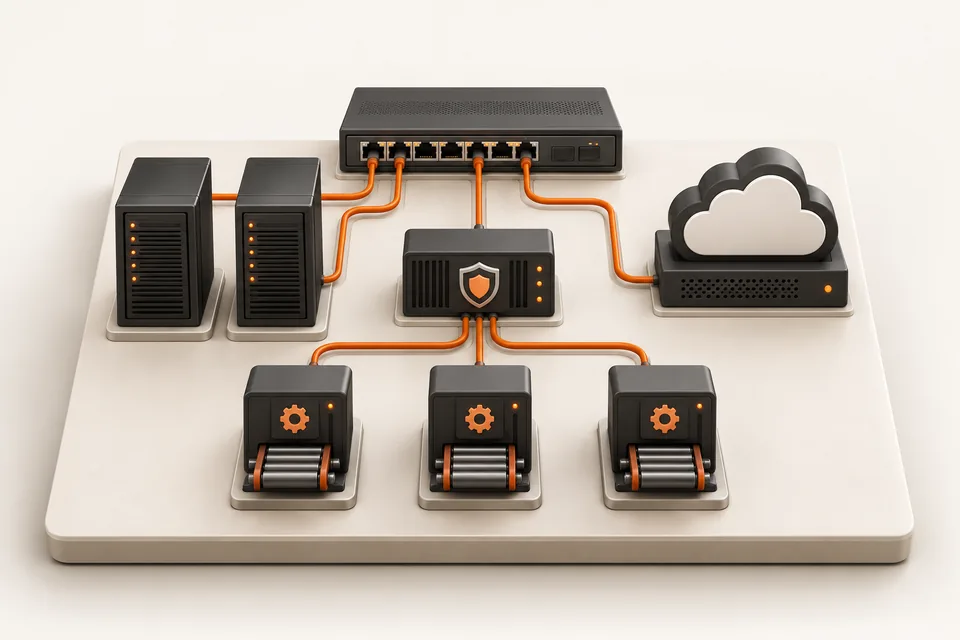
Illustration of a miniature switch, servers, cloud, security gateway and delivery modules connected in an infrastructure learning lab.
A connected view of networking, cloud, security and automation.

Learn from top 1% engineers.

Meet instructors who bring networking, cloud and automation experience into the classroom.

Atul Sharma
Founder · Networking

Atul Sharma

12+ years in networking

Networking experience spanning Aricent, TCS, Apple and Juniper.
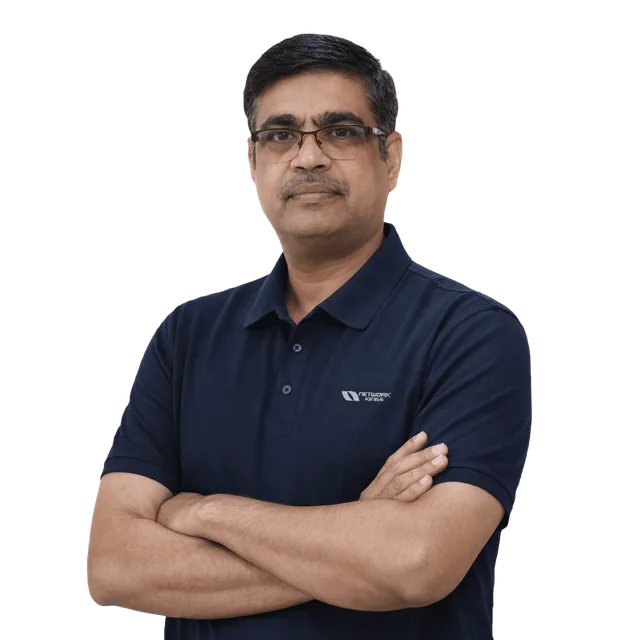
Sanjay Sharma
AWS cloud

Sanjay Sharma

20+ years of experience

Cloud mentor bringing extensive hands-on AWS experience to the classroom.
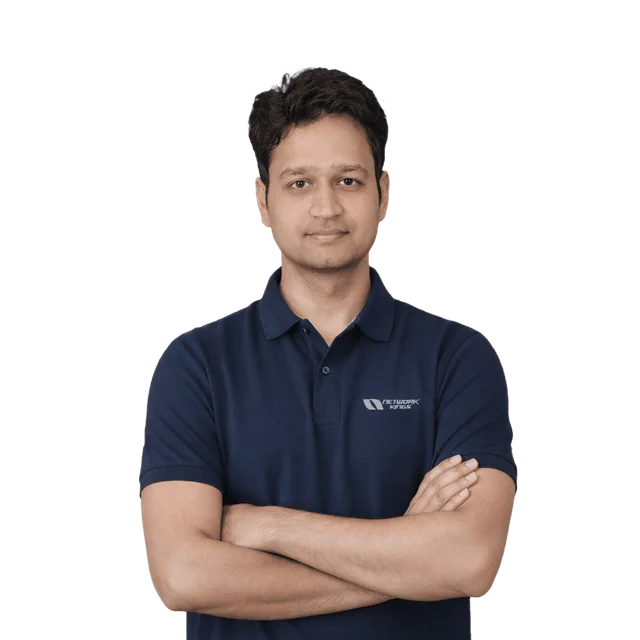
Amit Bhatt
Linux & DevOps

Amit Bhatt

11+ years of experience

DevOps automation experience at CDAC, IBM and Integrated Solutions.

Industry experience. Practical explanations. A human connection.

Explore Network Kings

Aadil Hameed dar

Aadil Hameed dar

Network Engineer L1

“Industry-expert trainers made networking easy to understand.”

Shared with Network Kings

Explore, talk it through, or enroll

See the syllabus and fees at your own pace. Request personal guidance when you need help choosing.

Find the right direction

Discuss your experience, interests and the skills you want to build with our team.

Request career guidance

Have a course question?

Ask about prerequisites, live classes, lab access or the enrollment options for your course.

Request a callback

Ready for your next skill?

Review the current fee, included access and payment terms before completing enrollment.

View fee & enroll Enrollment offer: Cloud Architect Flagship Program

Use the enquiry form to share your course interest, or WhatsApp/email to include a callback or guidance request.

Why learn from the top 1% of engineers?

Because passing an exam and doing the job are different skills, and only experience closes the gap. Network Kings mentors have spent 11 to 20+ years building and running networks, cloud platforms and pipelines at companies like Apple, Juniper Networks, IBM and CDAC. They teach what breaks in production, why, and how engineers fix it under pressure.
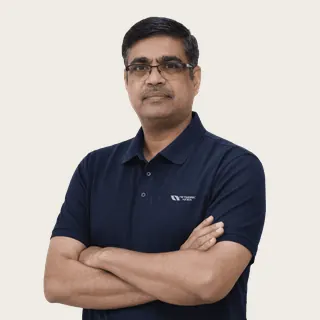
  • Sanjay Sharma, AWS mentor at Network KingsSanjay Sharma, AWS
  • Vikas Kumar, Azure mentor at Network KingsVikas Kumar, Azure
  • Ajay, Azure mentor at Network KingsAjay, Azure
  • Atul Sharma, Founder & CEO mentor at Network KingsAtul Sharma, Founder & CEO
  • Amit Bhatt, Linux & DevOps mentor at Network KingsAmit Bhatt, Linux & DevOps
  • Lazaro (Laz) Diaz, Networking mentor at Network KingsLazaro (Laz) Diaz, Networking

Sanjay Sharma (AWS, 20+ yrs), Vikas Kumar (Azure, 20+ yrs), Ajay (Azure, 12+ yrs) and more. Meet the mentors

Same problem, two answers. Pick a track:

On the job: Files from a private S3 bucket turn up on a public link.

The textbook answer

S3 buckets can be public or private. Use bucket policies and ACLs to control who can access them.

Correct. Not enough to fix it.

How a production engineer teaches it

  1. Contain it: turn on S3 Block Public Access for the account, not just the bucket.
  2. Find the cause with IAM Access Analyzer: which policy or ACL opened it.
  3. Check CloudTrail data events to learn what was read, and by whom.
  4. Make it impossible to repeat with an SCP guardrail across every account.
  • The why behind every command, not just the syntax.
  • Hands-on labs for every topic, so the first fault you fix is not at work.
  • Doubts answered by someone who has fixed it in a live network, cloud or pipeline.